
A conversation beside your draft
Explore scenes and plot ideas in the AI sidebar, or add selected manuscript text. Bring your own API key; your provider bills usage. Only content you submit is sent.
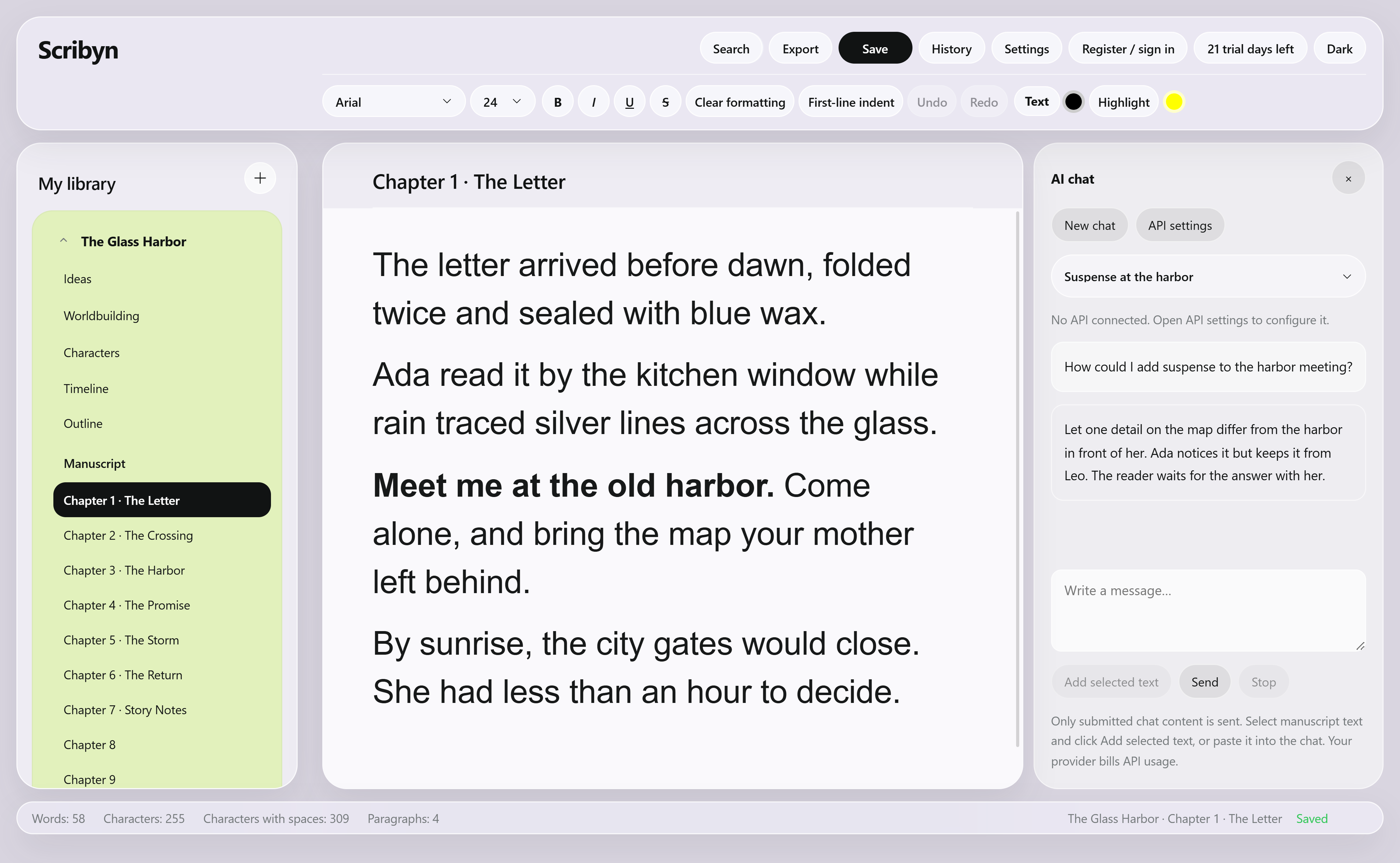
Write and plan fiction with your manuscript, outlines, characters, worldbuilding and timelines in one local-first workspace. Leave bookmark notes, trace cards back to their source passages and explore a scene with optional AI chat.
Free version stays usable · 21-day full-feature trial · Pro unlocks advanced features

Turn selected passages into character and worldbuilding cards. Arrange events, leave revision notes and look back on seven days of writing activity. Your story material stays connected to the manuscript.
Explore scenes and plot ideas in the AI sidebar, or add selected manuscript text. Bring your own API key; your provider bills usage. Only content you submit is sent.
Cards, text, images, connections and freehand drawing share one canvas. Create character or worldbuilding cards from selected manuscript text and keep the original passage linked.

Character, event, and narrative timelines unfold horizontally. Drag, resize, and arrange lanes to express sequence through space.

Interface and writing languages are independent. Switch themes anytime and move all your data when needed.

Keep the master outline, chapter outlines, and manuscript under the same book. Expand the structure whenever you need direction.

Fonts, sizes, emphasis, colors, indentation, and search stay within reach without leaving the manuscript.

Bookmark a selected passage, keep the quote and add a note. Record a setup, a revision idea or an unresolved question, then return directly to it.

Copy items from ideas, characters, worldbuilding, and chapters instead of typing the same material twice.

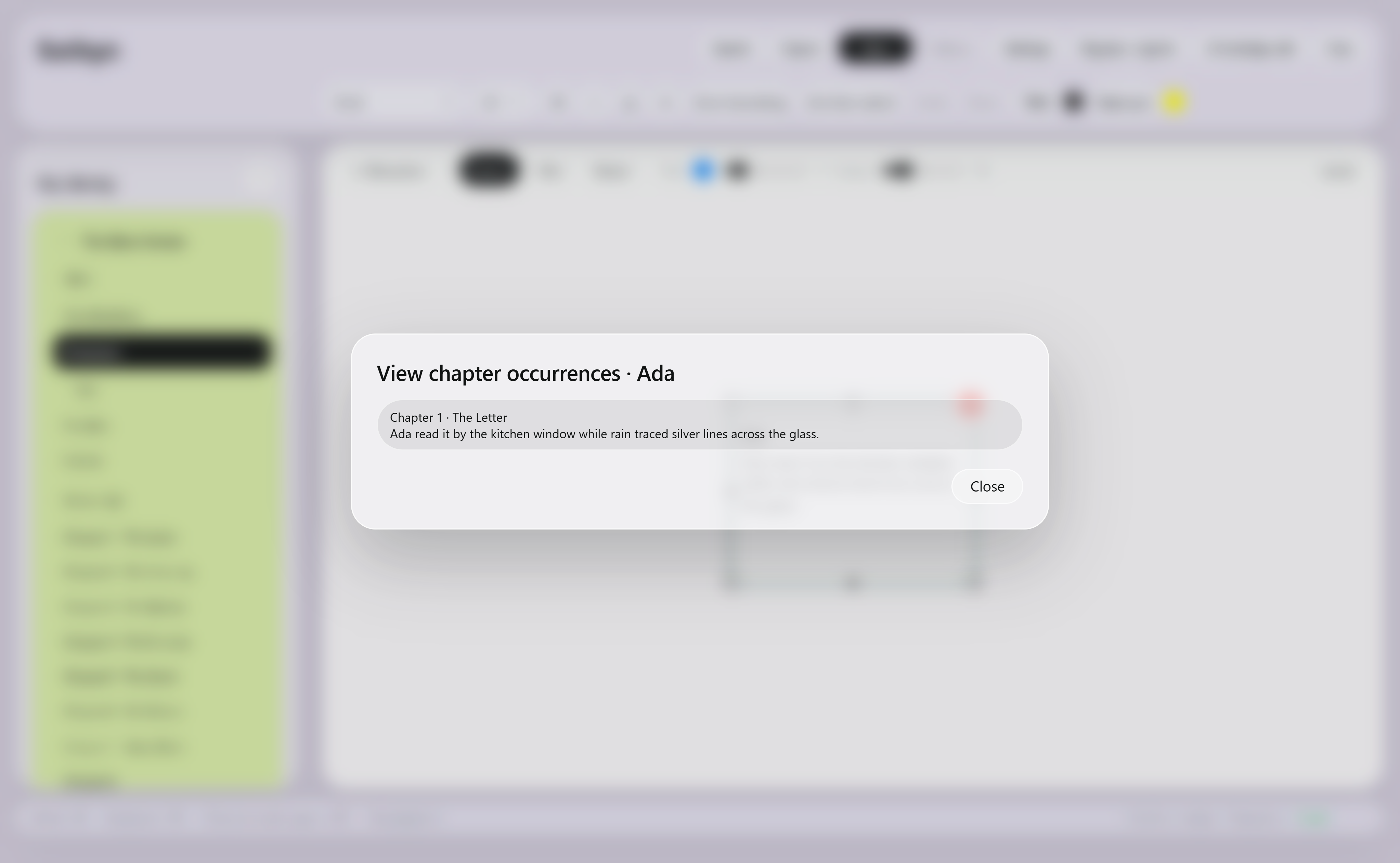
Find chapters that mention a card's name, or return to the source passage linked to a card created from selected text. Keep your story material and manuscript in view together.
Review writing time and net words for the last seven days. Clear charts help you look back on your own creative rhythm.
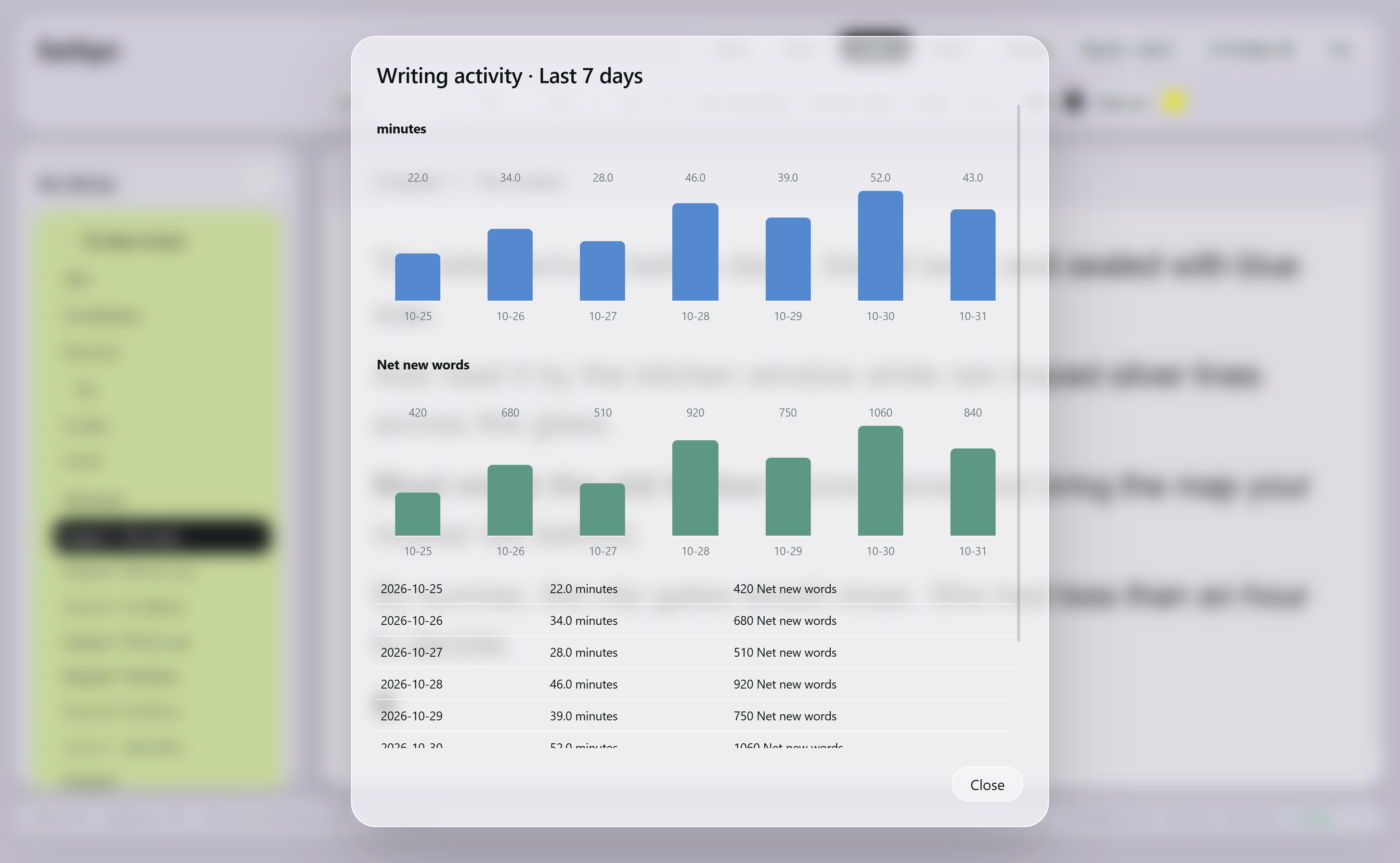
Illustrative writing data.
Scribyn does not tell you how to write. It simply keeps familiar creative steps within reach, so each one flows naturally into the next.
Save fragments, dialogue, images, and half-formed thoughts on idea cards.
Create character and worldbuilding cards from selected passages, then move between a card and the chapters where it appears.
Drag events along horizontal timelines for multiple characters, viewpoints, and nonlinear narratives.
Write, format, leave bookmark notes and review seven days of writing activity. Export your work as DOCX, PDF or MOBI.
Manuscripts, notes and story material stay on your computer. You choose when to move your data. Optional AI chat sends only the content you submit to your configured provider; it does not automatically upload your whole manuscript.
The free version remains usable. New users get 21 days with the full feature set; after that, keep using the free version or upgrade to Pro to unlock advanced features.
Start creating without paying and decide whether to upgrade in your own time.
US$3.50/month
Monthly card subscriptions renew automatically and can be cancelled in the app. The exact price is subject to the payment information shown in the app.Subscription, cancellation & refund termsScribyn currently supports 64-bit Windows 10 and Windows 11.
Your manuscript and story material are saved locally. Optional AI chat sends messages and selected text you submit to your configured provider. It does not automatically upload the whole manuscript.
Yes. Export all creative data with Data Transfer in Settings, then import it on another computer.
Export manuscripts and outlines as DOCX or PDF, complete books as MOBI, and idea, character, and worldbuilding boards as PDF.
Yes. Core writing, formatting, export, bookmarks and history remain free to use. Editing Ideas, Worldbuilding, Characters and Timelines is included in the 21-day full-feature trial and Scribyn Pro.
No. Writing and story management work without AI. Optional AI chat requires your own API key, with usage billed separately by your provider. Only messages and selected text you actively submit are sent.
The Windows desktop app is available now. Mac is waitlist-only, with no download yet. The website provides product information and the installer; it is not an online writing editor.
Scribyn Pro is US$3.50/month in all regions. The exact price is subject to the payment information shown in the app. Monthly card subscriptions renew automatically and can be cancelled in the app. The free edition remains usable. AI provider usage is billed separately.